Posts

Adobe Stand Alone Flash Player for Linux
Image
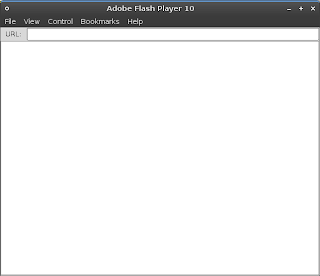
Adobe stand alone flash player for Linux is available. Most of us only need flash plugin for browser to view swf. But sometimes we or most of the times developer wishes for the availability of stand alone flash player for Linux. Stand alone flash player means that you don't need anything to run swf other than the player itself. Yes, you don't need browser or any media player. Get it from http://www.adobe.com/support/flashplayer/downloads.html or download the version 10 directly from http://download.macromedia.com/pub/flashplayer/updaters/10/flash_player_10_linux_dev.tar.gz Not only that you can create self running binaries from the stand alone player.

When ubuntu was created

I was going through an article and found one interesting piece of information presented below. When Ubuntu was created back in 2004, Mark Shuttleworth recorded the very first bug in the online database. However, it wasn’t about software. Instead, it was a revolutionary call to arms. It read as follows: “Microsoft has a majority market share in the new desktop PC marketplace. This is a bug, which Ubuntu is designed to fix”. You can read it yourself here, https://bugs.launchpad.net/ubuntu/+bug/1

Hibernate from Terminal

Q. How do I hibernate from terminal or command line? A. Run 'sudo /etc/acpi/hibernate.sh'

switch compiz with command

You can easily switch compiz on and off with simple command. To switch compiz off, press ALT+F2 and type without quotes "metacity --replace" To switch compiz on, press ALT+F2 and type without quotes "compiz --replace" If you want graphical option then install fusion-icon. Go to System->Administrations->Synaptic Package Manager and install "fusion-icon" Now you can click fusion-icon from Accessories to turn compiz on and off. For ease add it as a launcher.

aptitude and apt-get tutorial

This is a very nice tutorial on aptitude and apt-get. Link http://maketecheasier.com/become-an-apt-guru/2009/02/24

Ctrl-Alt-Backspace is now disabled

Ctrl-Alt-Backspace is key combination to restart X. But for Ubuntu users from Alpha5 of Jaunty Jackalope, this shortcut will be disabled. This can be enabled from xorg.conf or or via the command dontzap --disable. The main reason for disabling Ctrl-Alt-Backspace shortcut is to protect newbies from accidentally restarting X.

Convert line break between Linux and Windows

If you are both Linux's and Window's user then you must know that Linux and Windows uses different line breaks. So If you type something in Linux and open in Window or vice versa then your line will not break properly. However you can easily convert between them. You can either use powerful sed or with a simple program tofrodos . To convert Linux line break to Windows type: unix2dos filename.txt To convert Windows line break to Linux type: dos2unix filename.txt Use -b option if you want to backup the file before changes are made. Use it with find command to perform changes in multiple files.

Next version of Ubuntu announced

Next version of Ubuntu 9.10 is announced. It's going to be called Karmic Koala. Yes the next version of Ubuntu 9.10 is going to be called Karmic Koala. Hear it from Mark Shuttleworth himself, http://fridge.ubuntu.com/node/1831

Usb support in Virtual Box

If you are going to use Sun Virtual Box to use USB device in guest OS then you should be aware that the default installation doesn't gives you that option. If you Google, there are many people offering many suggestion, some working for few people and some not. Well, I tried the same in Intrepid Ibex Ubuntu Linux, but none of the suggestion worked for me. So the most simple thing that I did and worked was read the manual and found there are two version of Virtual Box. You can see the differences between them by going to http://www.virtualbox.org/wiki/Editions Don't do anything with /etc/udev/rules.d/40-permissions.rules, /etc/init.d/mountdevsubfs.sh or /etc/fstab. open /etc/apt/sources.list add " deb http://download.virtualbox.org/virtualbox/debian intrepid non-free" to it. Also I recommend you to add VirtualBox GPG key. Then update by typing, "sudo aptitude update" Remove old virtual box if you have installed by "sudo aptitude remove virtualbox-ose...

Debian Lenny Released

This year's valentine gift from Debian side is the Debian GNU/Linux version 5.0 codenamed Lenny . I comes after 22 months of constant development. Read more: http://debian.org/News/2009/20090214

./configure: 123: Syntax error: Bad fd number"

While compiling fftv I got a strange error. ./configure: 123: Syntax error: Bad fd number" The fix for this is: sudo mv /bin/sh /bin/sh.bkp sudo ln -s /bin/bash /bin/sh

How do I change hostname in Ubuntu Linux?

You can see or change hostname of your computer with hostname command. You need privileged access to use this command. In terminal, typing hostname gives you the hostname of the computer. hostname xyz changes the name of your computer to xyz.