Posts

Animated Gif In Ubuntu
Image
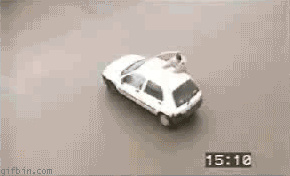
When you open animated gif in Unbunt it appears as a static gif image. To see the gif animation you need to install a program called 'gthumb' Install it by opening terminal and typing sudo aptitude install gthumb Or go to Synaptic package manager and select 'gthumb' If you are using Ubuntu, you can also click here to install it. After installing it, save this cool 'super dog' photo to your computer and try viewing it with gthumb.
Google Wave Check It Out

Sorry guys for posting this late, if you haven't checked out Google Wave , check it out now or blame yourself. Its a killer app. Pretty cool ha ?

Bash Quick-Reference, Great Shortcuts

C-n means control-n M-x means escape-x (few keyboards have a 'meta' key) Finding a line in history: C—p Move to previous line in history C-n Mcve to next line in history C-r Reverse search Moving in the current line: C-a Move to start of the current line C-e Move to end of the current line C-f Move forward (right) one character C-b Move backward (left) one character M-f Move forward one word M-b Move back one word Editing the current line: del Delete the character under the cursor bs Delete the character to the left of the cursor C—k Kill the characters to the right of the cursor C-u Kill the characters to the left of the cursor M—d Delete the word to the right of the cursor M—bs Delete the word to the left of the cursor M-u Convert the next word to upper case M-l Convert the next word to lower case M—c Capitalize the first character of the next word C-vx Insert x literally, even if x is special Kill ring and previous line: C-y Yank (paste) the last deleted characters M-y Immed...

Hide Channels From Whois In Freenode

If you are a geek you must be hanging on lots of irc channels. I like to hide my details as much as possible. So I prefer to hide the other channels I've joined. To do so, the command you type is /quote mode user_name +i Also you can get cloak to hide your IP.

Run GNU Screen Directly

Whenever I have to start screen , I have to start a terminal and run screen manually. Now to run the screen automatically without first opening a terminal you can use the following command gnome-terminal -e screen This opens screen in gnome-terminal directly.

Simple And Powerful Command To Take Screenshots

I often take screen shots. So I need a simple applications that loads fast, is easy to take screen shots, is powerful and saves file directly to the location I want. And the best thing I found is the command import . For example to take a screen shot I can simply press ALT+F2 and type import -frame /tmp/my_screenshot.png

Acer Gateway Brightness problem solved

Image
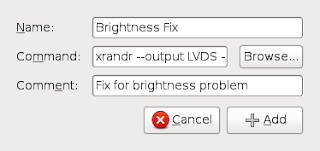
I encountered a problem with Gateway laptop. The brightness level can't be changed neither from keyboard shortcut nor from gnome-power-manager. If you encounter the same problem, open terminal and type xrandr --output LVDS --set BACKLIGHT_CONTROL native or xrandr --output LVDS --set BACKLIGHT_CONTROL legacy To make this fix permanent add the above line in your startup(From Menu, System, Preferences, Startup Applications).

Change Dim Display When Idle Time

Image
Ubuntu automatically makes your display dim when you are idle for 30 seconds. Yes this saves battery life but for me 30 seconds is really annoying. And the good thing is this default value can be easily changed from gconf-editor . Press ALT+F2 Enter gconf-editor In gconf-editor browse to apps > gnome-power-manager > backlight > idle_dim_time Hit enter Change the integer value in seconds. That's it.

Book for the weekend

Image
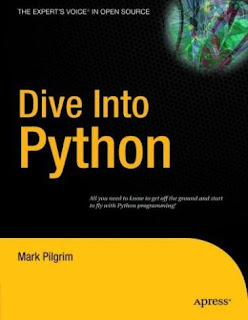
Subject: Python Description: Programming BOOk: Dive Into Python Dive Into Python is a Python book for experienced programmers. Download it in various format and language from http://www.diveintopython.org/#download And yes its free...............

Game Of The Day - Sauerbraten

Image
Sauerbraten, its single/multi player, its fps and its free. Install it by sudo aptitude install sauerbraten http://www.sauerbraten.org/

create /dev/null

Are you getting /dev/null: Permission denied error in terminal ? Chances are you accidentally deleted /dev/null or something happened that you are unaware of. But no worries you can make /dev/null again by following the mentioned steps and get rid of the problem. First go to terminal sudo rm /dev/null sudo mknod -m 0666 /dev/null c 1 3 And this should solve the problem.

Linux Guru Tip No 1

Never use relative path while you use rm command. Always use absolute path. There are many cases while people do sudo rm -rf ./ and accidentally run the command again from history after changing their working directory. Absolute path ends as you delete the folder while relative path exists on basis of where your working directory is.