Posts

Amarok another Media Player for Linux

Image
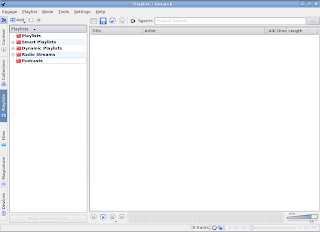
If you have read my post, Media Player for your Linux then you must have tried Exaile. Well, Amarok is from what Exaile was inspired. So give it a try. http://amarok.kde.org/ sudo apt-get install amarok

9th sysadmin day

July 25th, 2008 (Last Friday Of July) 9th Annual System Administrator Appreciation Day http://www.sysadminday.com/

CHM viewer - gnochm

Image
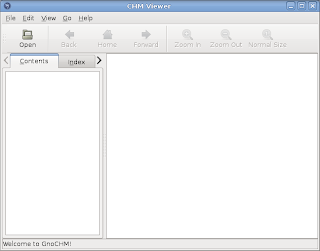
gnochm is a good chm viewer for your Ubuntu machine. Install it by sudo apt-get install gnochm Start it by Menu->Accessories->CHM Viewer

Twitter client, twitux

Image
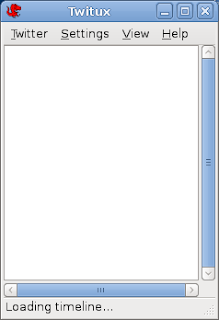
If you twitter then this little client in Ubuntu can be very handy for you. Its called twitux. Go to the site http://live.gnome.org/DanielMorales/Twitux Install it by sudo apt-get install twitux Start it from Menu->Internet->Twitux

When Linux Hangs

Yes! Linux too hangs. By forcing a manual restart you can put your data at risk. So when your desktop freezes you can use ATL+CTRL+BackSpace to restart X or GDM. If that doesn't helps there are other important key sequences that can help you when your computer freezes. They prevent you from file system error during the crash. Also they gives some program to make emergency backup of unsaved work. They are called magic SysRq keys . Please note that they dont work on kernel panic. To safely restart freezed system, Press ALT+PrintScreen While holding them press and release the following keys one by one. R S E I U B Please keep in mind that you need to press each key for 2-3 seconds. These keys are the shortcut for: R aw S ync t E rminate k I ll U nmount re B oot To safely shutdown freezed system, Press ALT+PrintScreen While holding them press and release the following keys one by one. R S E I U O Please keep in mind that you need to press each key for 2-3 seconds. These keys are the s...

free the fish - swimming fish in your desktop

Go to "run application" by pressing ALT+F2 and type free the fish Voila! You have got guest in your desktop!!!!!

How to remove comments and blank lines from file

So often you need to remove comments and blank lines form configuration files. You can do it in a very easy single step. #grep -v ^$ file.conf | grep -v ^# What it does is grep ^$ from your file. You must be saying I don't have any such character in my file. Actually those characters have their own meaning. ^ begging of the line $ end of the line So searching for ^$ means you are searching a blank line. The -v option invert your search. So #grep -v ^$ matches all the lines except the blank lines. Again the pipe '|' sends those match to another grep command which matches any line begging with '#'. Then -v option again inverts the match giving you all the lines except comment and blank lines. If you want the output in a file rather than screen then redirect it, #grep -v ^$ file.conf | grep -v ^# > newfile For more of the input/output and error redirection visit http://techspalace.blogspot.com/2008/06/devnull-2.html

device manager for Ubuntu

Image
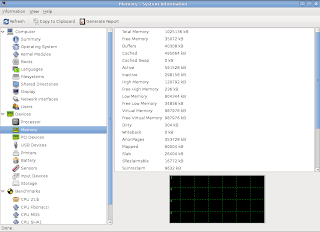
There are tools like lsusb, lspci, lspcmcia, lshw that provides wonderful information of your current hardware. These tools are all command based and you wont find any wonderful GUI tools on the system menu. If you want to see the details of your computer hardware in GUI mode then hardinfo is the program for you. You can install it by: sudo apt-get install hardinfo Then launch application launcher by pressting ALT+F2 and typing hardinfo. Thought the topic says this is not a device manager. It only displays information about the devices. So you can call it hardware information on Ubuntu.
Understanding routing table flags

Following command produces very handy routing table of your system. #netstat -r #route The output is very handy and helps in troubleshooting your network problem. The flags if you can understand will help you much more. So here is the summary of the flags and their meaning. Flag Name Meaning 1 RTF_PROTO1 Protocol specific routing flag 1 2 RTF_PROTO2 Protocol specific routing flag 2 3 RTF_PROTO3 Protocol specific routing flag 3 B RTF_BLACKHOLE Just discard pkts (during updates) b RTF_BROADCAST The route represents a broadcast address C RTF_CLONING Generate new routes on use c RTF_PRCLONING ...

Eqonomize track your income and expense

Image
http://eqonomize.sourceforge.net/ Its very easy to use. Simply add the category of your income and expenses. The default one is also very good. Then whenever there is any income or expense simply go to that tab and fill them. It also features split transaction, transfers, securities and schedule income or expense.

Hardy Best Cover Ever

Image
Ubuntu Best Cover Ever

The Sysadmin Song